Free Website Traffic Checker & Website Links Checker – Like an SEO Expert!
Have you ever wondered how much traffic your competitors receive every month? Or why one website consistently appears on the first page of Google while another struggles to attract visitors?
For many website owners, SEO still feels like a mystery. They publish blog posts, optimize titles, invest in backlinks, and sometimes even spend thousands on marketingwithout truly understanding what is happening behind the scenes.
The truth is that successful SEO isn’t based on guesswork. It’s based on data.
Before improving rankings, creating new content, or investing in link building, you need to understand two essential components of every successful website:
- Website Traffic
- Website Link Structure
These two elements reveal how search engines evaluate your website, how users discover your content, and where your biggest growth opportunities lie.
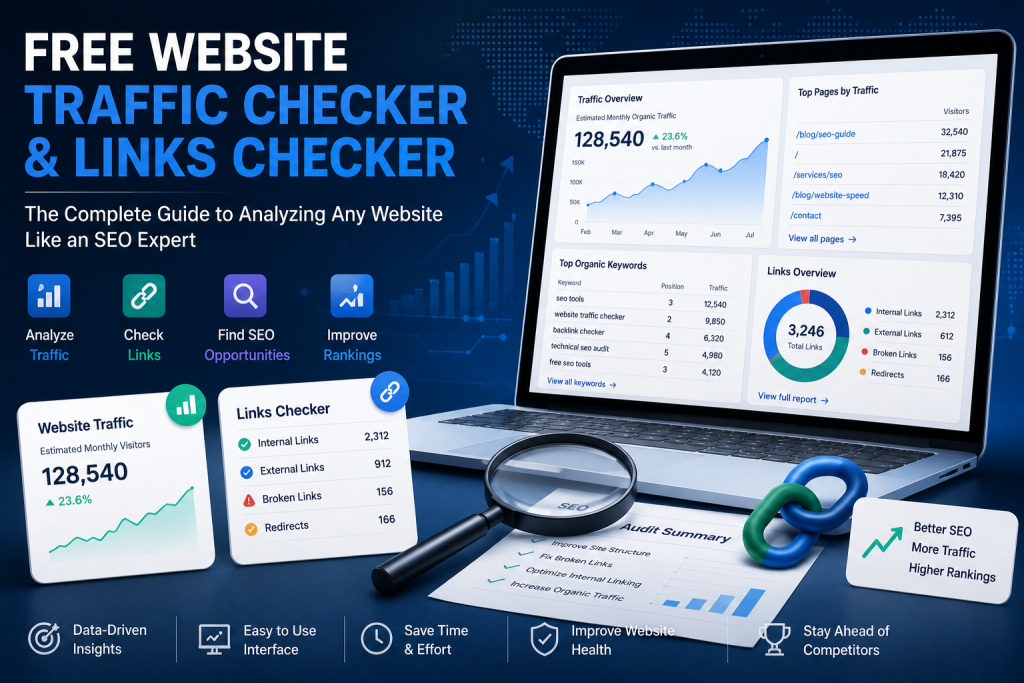
A professional Free Website Traffic Checker helps you estimate how much organic traffic a website receives, identify its strongest pages, and understand its overall SEO performance.
A powerful Website Links Checker goes one step further by analyzing the internal and external links that shape your website’s authority and crawlability.
Together, these tools provide one of the clearest pictures of your website’s healthand they are often the starting point for every successful SEO strategy.
In this guide, you’ll learn exactly how website traffic analysis works, why link analysis is just as important, which metrics professionals monitor, and how to use these insights to improve your rankings in both Google and AI-powered search engines.
What Is a Website Traffic Checker?
A Website Traffic Checker is an SEO tool designed to estimate how much traffic a website receives and how visible it is in search engines.
Unlike Google Analyticswhich only works for websites you owna traffic checker allows you to analyze virtually any public website, including competitors.
This makes it an essential tool for SEO professionals, marketers, agencies, and business owners who want to make smarter decisions based on data rather than assumptions.
A high-quality Free Website Traffic Checker typically provides insights such as:
| SEO Metric | Why It Matters |
| Estimated Monthly Traffic | Understand the website’s overall visibility |
| Organic Keywords | Discover which searches generate visitors |
| Top Ranking Pages | Identify the pages driving the most traffic |
| Traffic Trends | Monitor SEO growth over time |
| Competitor Comparison | Benchmark your performance against others |
| Organic Search Visibility | Measure how often your website appears in search results |
While these numbers are estimates, they provide an incredibly valuable overview of a website’s SEO performance and help identify opportunities for growth.
For example, if two businesses sell the same product but one receives 5,000 organic visitors each month while the other attracts 120,000, it’s clear that one has built a stronger SEO strategy.
The next step is understanding why.
Why Website Traffic Matters More Than Rankings
Many people still judge SEO success by one simple metric:
“Am I ranking #1 on Google?”
While rankings are important, they don’t always tell the full story.
Imagine ranking first for a keyword that only 20 people search for every month.
Now imagine ranking fifth for a keyword searched 25,000 times monthly.
Which position generates more business?
In many cases, the second one.
This is why experienced SEO professionals focus on traffic rather than rankings alone.
Traffic reflects real visibility.
It tells you:
- How many people are discovering your website.
- Which pages attract the most visitors.
- Which content performs best.
- Whether your SEO strategy is improving over time.
- Where new opportunities exist.
Monitoring website traffic also helps identify sudden changes caused by:
- Google algorithm updates
- Technical SEO issues
- Broken pages
- Lost backlinks
- Increased competition
- Seasonal search behaviour
Without traffic data, these issues often remain invisible until rankings and leads begin to decline.
What Can You Learn From a Free Website Traffic Checker?
Many people think website traffic tools only display visitor numbers.
In reality, modern SEO tools reveal much more than that.
Let’s explore the insights that actually help improve SEO performance.
1. Estimated Monthly Organic Traffic
Organic traffic represents visitors who discover a website through unpaid search results.
These users are actively searching for information, products, or services, making them some of the most valuable visitors any business can attract.
Estimated monthly traffic provides an overall picture of a website’s SEO strength.
Although third-party tools cannot access Google Analytics directly, modern estimation models are surprisingly effective for comparing websites within the same industry.
For example:
| Website | Estimated Monthly Traffic |
| Competitor A | 7,500 |
| Competitor B | 42,000 |
| Competitor C | 180,000 |
Immediately, you can identify market leaders and estimate how much organic demand exists in your niche.
2. Which Pages Generate the Most Traffic?
One of the biggest advantages of a professional traffic checker is discovering which pages perform best.
Instead of guessing what content users want, you can identify the pages that consistently attract visitors.
These might include:
- Blog articles
- Product pages
- Service pages
- Buying guides
- Category pages
- Resource centres
Understanding this helps you answer important questions:
- Which topics generate the most interest?
- What type of content ranks well?
- Which search intent is driving visitors?
- Where should you create additional content?
Many successful SEO strategies begin by analysing competitors’ highest-performing pages and then creating even better, more comprehensive resources.
3. Organic Keyword Opportunities
Every website ranks for keywords.
Some rank for dozens.
Others rank for tens of thousands.
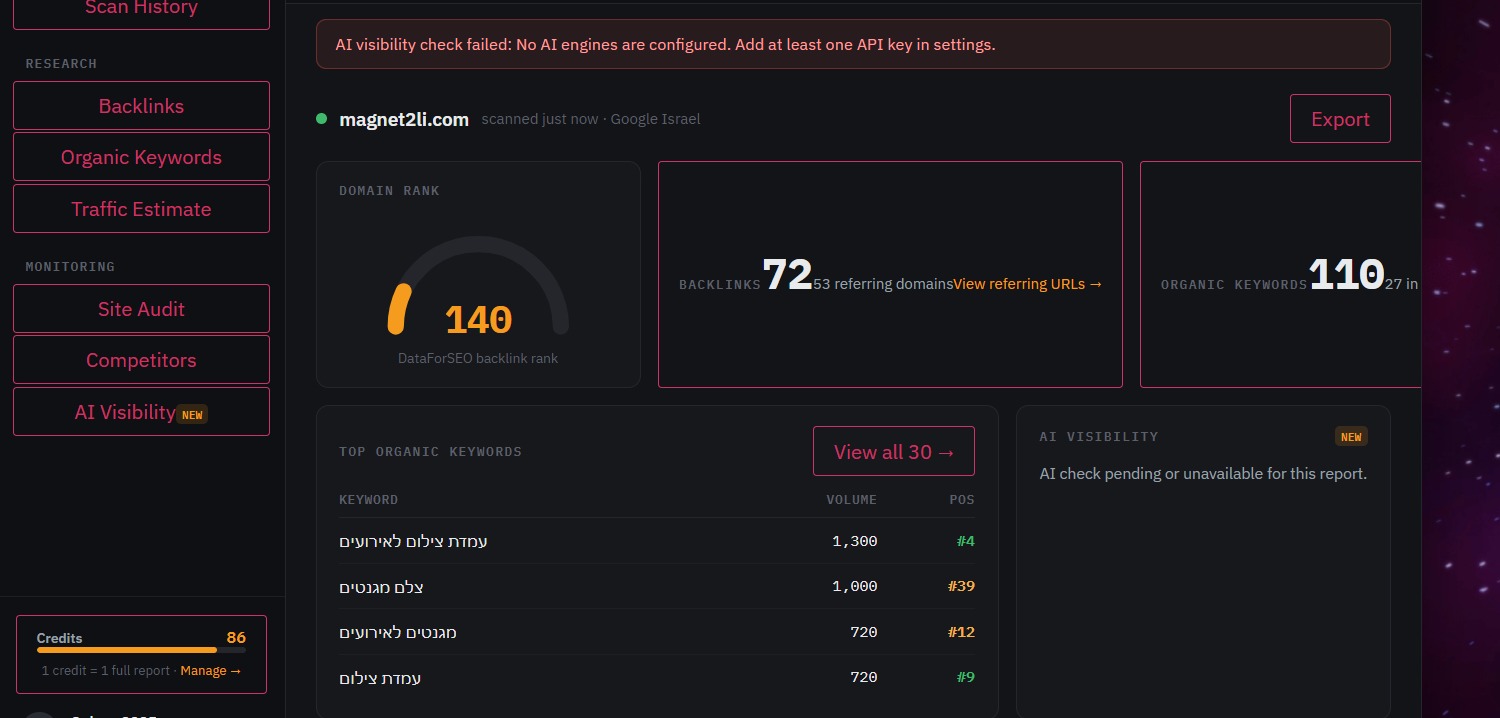
A quality Free Website Traffic Checker can reveal many of the search terms responsible for generating organic traffic.
This allows you to discover:
- High-volume keywords
- Long-tail opportunities
- Commercial search terms
- Informational queries
- Trending topics
Rather than brainstorming keywords from scratch, you can build your content strategy around real search behaviour.
This saves time, reduces guesswork, and increases your chances of ranking successfully.
4. Traffic Trends Over Time
Traffic isn’t static.
Websites constantly gainor losevisibility.
Monitoring traffic trends helps answer questions like:
- Is SEO improving?
- Did Google reward recent content?
- Has traffic declined after an algorithm update?
- Are competitors growing faster?
Instead of focusing on a single snapshot, traffic history reveals the bigger picture.
Consistent growth usually indicates a healthy SEO strategy.
Sharp declines often signal technical problems or increased competition.
What Is a Website Links Checker?
While website traffic tells you how users discover your website, links explain why search engines trust it.
A Website Links Checker analyses the links connecting pages across your website and the wider internet.
Google has relied on links as one of its strongest ranking signals since its earliest days, and although search algorithms have evolved dramatically, links remain essential for understanding authority, relevance, and content relationships.
However, not all links are equal.
Some strengthen your website.
Others weaken it.
Some help Google crawl your pages efficiently.
Others prevent important content from being discovered altogether.
This is why every complete SEO audit should include a detailed link analysisnot just a traffic report.
Types of Website Links Every Website Owner Should Understand
Not every link on your website serves the same purpose.
Some links help search engines discover new pages.
Others distribute authority across your website.
Some improve the user experience, while others can seriously damage your SEO if left unchecked.
Understanding the different types of website links is essential for maintaining a healthy website structure and improving your visibility in both traditional search engines and AI-powered search platforms.
Let’s explore the most important link types every website owner should monitor.
Internal Links
Internal links connect one page of your website to another.
For example, if you publish a blog article about SEO and link to your “SEO Services” page, that’s an internal link.
Although they seem simple, internal links are one of the most powerful SEO tools available.
A well-planned internal linking strategy helps Google understand:
- Which pages are the most important.
- How topics are connected.
- The hierarchy of your website.
- Which pages deserve more authority.
Internal links also improve the user experience by guiding visitors toward related content.
Imagine reading an article about website speed and finding a helpful guide about technical SEO through an internal link.
Instead of leaving your website, visitors continue exploring additional content.
This increases engagement, reduces bounce rates, and often improves conversions.
External Links
External links point from your website to another domain.
Many website owners avoid using external links because they worry about “sending visitors away.”
In reality, linking to trustworthy and authoritative sources can improve your content’s credibility.
For example, referencing Google Search Central, official documentation, or respected industry research demonstrates that your content is backed by reliable information.
Search engines increasingly reward content that provides useful context rather than existing in isolation.
However, every external link should be relevant, valuable, and trustworthy.
Low-quality or spammy external links can negatively impact your website’s reputation.
Backlinks
Backlinks are links pointing to your website from other websites.
They remain one of Google’s strongest ranking signals.
When an authoritative website links to one of your pages, search engines interpret this as a vote of confidence.
Of course, quality matters far more than quantity.
One backlink from a respected industry publication may provide more SEO value than hundreds of links from low-quality directories.
Strong backlink profiles often indicate:
- High-quality content.
- Brand authority.
- Industry recognition.
- Trustworthiness.
This is why backlink analysis is an important part of any professional SEO strategy.
Broken Links
Broken links occur when a page no longer exists or returns an error such as 404 Not Found.
Although one broken link may seem insignificant, larger websites often accumulate hundreds of them over time.
Broken links can:
- Frustrate visitors.
- Reduce trust.
- Waste crawl budget.
- Interrupt internal link flow.
- Prevent search engines from discovering valuable pages.
Regularly checking for broken links helps maintain a healthier website and improves both user experience and crawlability.
Redirects
Redirects automatically send visitors from one URL to another.
They’re commonly used after website redesigns, URL changes, or deleted pages.
While redirects are necessary, excessive redirect chains can slow crawling and reduce SEO efficiency.
A professional Website Links Checker helps identify unnecessary redirects and opportunities to simplify your website architecture.
Why Website Traffic and Link Analysis Should Always Be Used Together
Many website owners focus entirely on traffic.
Others obsess over backlinks.
Professional SEO combines both.
Imagine these two websites:
| Website | Monthly Traffic | Link Profile |
| Website A | 120,000 | Poor internal linking, many broken links |
| Website B | 45,000 | Excellent site architecture and healthy link profile |
Although Website A currently attracts more visitors, Website B may have a much stronger long-term SEO foundation.
Healthy links improve crawlability, distribute authority, and help search engines understand relationships between pages.
Traffic tells you what is happening today.
Link analysis explains why it’s happeningand what you can improve for tomorrow.
Common Link Problems That Quietly Hurt SEO
Many SEO issues develop slowly.
Your rankings don’t disappear overnight.
Instead, small technical problems accumulate until they begin affecting visibility.
Some of the most common issues include:
Orphan Pages
These are pages that have no internal links pointing to them.
Even if they contain excellent content, Google may struggle to discover and prioritize them.
Too Many Clicks from the Homepage
Important pages should never be buried deep inside your website.
If users need six or seven clicks to reach valuable content, search engines may also treat those pages as less important.
Broken Internal Links
Every broken internal link interrupts the flow of authority across your website.
Fixing them improves navigation and strengthens your overall SEO structure.
Redirect Chains
Multiple redirects create unnecessary delays for both users and search engine crawlers.
Whenever possible, redirects should point directly to the final destination.
Weak Internal Linking Strategy
Publishing dozens of blog articles without connecting them together is one of the most common SEO mistakes.
Search engines understand websites through relationships between pages.
A strong internal linking strategy creates topical authority and helps distribute ranking signals throughout the website.
How GeoBroo’s Free Website Traffic Checker Helps You Make Better SEO Decisions
Many online SEO tools focus on a single metric.
Some estimate website traffic.
Others scan for broken links.
A few generate basic SEO reports.
However, modern SEO requires a broader perspective.
That’s exactly why we developed GeoBroo’s Free Website Traffic Checker.
Instead of overwhelming users with hundreds of confusing metrics, GeoBroo focuses on providing practical insights that help website owners understand their site’s performance and identify meaningful opportunities for improvement.
With just a few clicks, you can analyse key aspects of your website, including:
Website Traffic Overview
Get an estimate of your website’s visibility and understand how it compares to competitors in your industry.
This provides a useful benchmark before planning your SEO strategy.
Website Link Analysis
The integrated Website Links Checker scans your website to identify internal and external links, helping you uncover structural issues that could affect crawling and user experience.
A healthy linking structure makes it easier for search engines to understand your content and helps visitors navigate your website more efficiently.
Broken Link Detection
Broken links can damage both SEO performance and user trust.
GeoBroo highlights pages that require attention, allowing you to resolve issues before they affect rankings or conversions.
Website Structure Insights
Search engines don’t just evaluate individual pagesthey analyse the overall architecture of your website.
GeoBroo helps you identify opportunities to improve navigation, strengthen internal linking, and create a clearer content hierarchy that benefits both users and search engines.
Actionable SEO Recommendations
Rather than presenting raw data, GeoBroo helps translate technical information into practical improvements.
This allows website owners, marketers, and agencies to prioritise changes that are most likely to improve visibility, user experience, and long-term organic growth.
How to Perform a Complete Website Audit Using Traffic and Links Data
One of the biggest mistakes website owners make is jumping straight into SEO without first understanding their website’s current condition.
A complete website audit doesn’t have to be complicated. By combining traffic analysis with link analysis, you can identify the issues that have the greatest impact on your website’s performance.
Here’s a simple process that professionals follow.
Step 1 – Analyse Your Website Traffic
Start by reviewing your website’s estimated traffic.
Ask yourself:
- Is traffic growing or declining?
- Which pages receive the most visitors?
- Which pages receive almost no traffic?
- Which keywords generate visibility?
- Are visitors landing on the pages you expected?
Understanding your current performance provides a baseline before making SEO improvements.
Step 2 – Identify Your Best Performing Pages
Every successful website has a handful of pages responsible for most of its organic traffic.
These pages often contain valuable insights about what your audience is searching for.
Review questions such as:
- Why is this page performing well?
- Does it answer search intent effectively?
- Can similar content be created?
- Are there opportunities to improve internal linking?
Instead of constantly publishing new articles, improving existing high-performing pages often delivers faster SEO results.
Step 3 – Scan Your Website Links
Next, analyse your website’s link structure.
A professional Website Links Checker should help identify:
- Internal links
- External links
- Broken links
- Redirects
- Orphan pages
- Link distribution across your website
Healthy internal linking improves crawlability, distributes authority, and helps search engines understand which pages are most important.
Step 4 – Fix Broken Links
Broken links create a poor user experience and prevent search engines from crawling your website efficiently.
Make it a habit to regularly identify and fix:
- 404 pages
- Broken internal links
- Outdated external references
- Redirect loops
- Redirect chains
Keeping your website clean improves both SEO performance and visitor satisfaction.
Step 5 – Compare Your Website Against Competitors
One of the biggest advantages of using a Free Website Traffic Checker is competitor analysis.
Instead of guessing why competitors rank above you, compare:
- Estimated monthly traffic
- Top-performing pages
- Website structure
- Internal linking strategy
- Content depth
- Overall visibility
Learning from successful websites allows you to improve your own strategy more efficiently.
SEO Best Practices for Improving Website Traffic and Link Health
Once you’ve analysed your website, the next step is implementing improvements.
Some of the most effective SEO practices include:
✔ Publish helpful, in-depth content that answers real user questions.
✔ Build a logical internal linking structure connecting related topics.
✔ Regularly scan your website for broken links.
✔ Update older articles with fresh information.
✔ Improve page loading speed.
✔ Earn backlinks from trusted, relevant websites.
✔ Monitor website traffic every month.
✔ Continue expanding your content around related topics to build topical authority.
Small improvements made consistently often produce much stronger long-term results than large one-time changes.
Why Website Structure Matters for Google and AI Search
Search is changing.
Google remains the world’s largest search engine, but millions of people now search for answers using AI-powered platforms such as ChatGPT, Google AI Overviews, Gemini, Claude and Perplexity.
These platforms don’t simply count keywords.
They analyse relationships between pages, the structure of your website, and the authority of your content.
A clear website structure helps AI systems understand:
- Which pages are most important.
- How topics are connected.
- Which pages support one another.
- Whether your website demonstrates expertise within its niche.
This is one of the reasons internal linking has become even more valuable.
Well-connected content creates stronger topical authority, making it easier for both search engines and AI systems to understand your website.
The better your website is organised, the easier it becomes for usersand AIto navigate and recommend your content.
Frequently Asked Questions
What is a Free Website Traffic Checker?
A Free Website Traffic Checker estimates how much traffic a website receives and provides insights into its overall SEO visibility.
How accurate are website traffic estimators?
No third-party tool can access another website’s Google Analytics account. However, modern traffic estimators provide reliable estimates that are extremely useful for comparing websites and identifying SEO opportunities.
What is a Website Links Checker?
A Website Links Checker analyses the internal and external links on your website, helping identify broken links, redirect issues, orphan pages, and structural SEO problems.
Can broken links affect SEO?
Yes. Broken links reduce user experience, interrupt crawling, and may prevent search engines from discovering important pages.
Why are internal links important?
Internal links help search engines understand your website’s structure, distribute authority between pages, and guide visitors toward relevant content.
How often should I analyse my website?
Most websites benefit from a complete SEO and link analysis at least once a month, or immediately after publishing significant new content.
Can I analyse competitor websites?
Yes. One of the biggest advantages of a Website Traffic Checker is the ability to compare your website with competitors and identify growth opportunities.
Do AI search engines analyse website links?
Yes. AI-powered search platforms rely on structured content, semantic relationships, and clear website architecture to better understand and reference trustworthy information.
Final Thoughts
Successful SEO isn’t about chasing rankings.
It’s about understanding how your website performs, identifying opportunities for improvement, and making informed decisions based on real data.
Website traffic shows how visible your website is.
Website links reveal how search engines understand your website.
Together, they provide the foundation for better SEO, stronger user experience, and improved long-term growth.
Whether you’re running a small business, managing client websites, or growing an eCommerce store, regularly analysing both traffic and links should become part of your ongoing SEO strategy.
Instead of relying on assumptions, use data to discover what’s working, identify hidden issues, and uncover new opportunities to grow.
Analyse Your Website with GeoBroo
Ready to discover how your website performs?
With GeoBroo’s Free Website Traffic Checker and Website Links Checker, you can quickly analyse your website’s traffic, review its link structure, identify technical SEO issues, and uncover opportunities to improve your visibility in both Google Search and AI-powered search engines.
Whether you’re auditing your own website or researching competitors, GeoBroo gives you the insights you need to make smarter SEO decisions.
👉 Start your free website analysis today:
https://geobroo.com/website-traffic-checker/